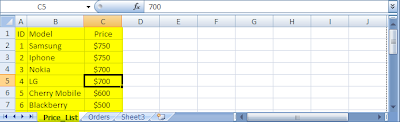
In this example we'll be using three excel functions such as IFERROR , IF and VLOOKUP functions. =IFERROR(IF(G3="","",VLOOKUP(G3,Sheet1!B:C,2,FALSE)), "No Match Found") For this example, we'll use the above formula at Cell "G4" : Initially, the formula says that if the value of G3 is blank then set the value of G4 to blank. Otherwise, look for the lookup value ( ID ) in the table array and return the exact match in the second column ( Name ) . If the value is not found in the array then return a message to the user. IFERROR( 'Formula to Evaluate', value-if-error ) - Returns the specified value "No Match Found" if the formula evaluated returns an error value. IF( logical_test, [value_if_true], [value_if_false] ) - Logic test is a comparison between two values ( G3="" ), test's if the value of G3 is empty. Followed by two arguments which are the value_if_true and v...